


- After you have set up a new account with our Personal Banking team, you're now ready to enroll or create your online banking profile.
- Click 'Enroll' at the top of any page of www.luanasavingsbank.com
- Follow the directions to complete your enrollment
- View this resource to enroll in online banking
💸 CD Specials as high as 4.30% APY*. Open Online in Minutes.
Rates and full details.
Bank Anywhere with Free Online Banking
Online Banking Features:
- Access your accounts 24/7
- Check balances and transaction history
- Transfer funds from a Luana Savings Bank account to other accounts
- Make loan payments
- View free eStatements
- Online bill pay with primary checking account
- Message our support team
- Deposit checks (with mobile banking)
- More!
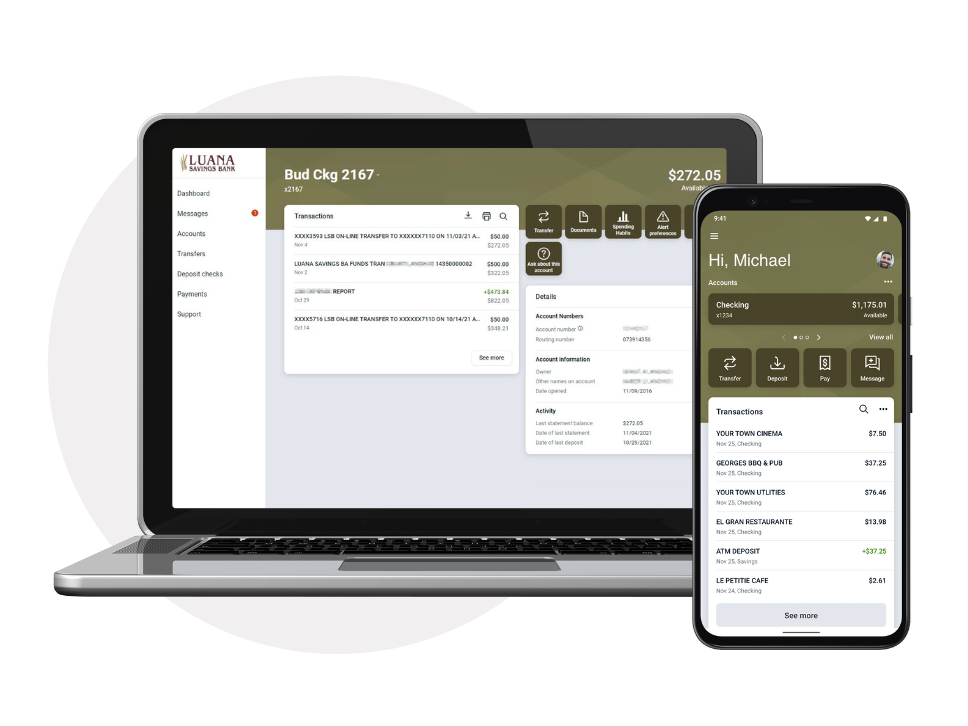
Download Our Mobile App
Check balances, deposit checks, and transfer funds in seconds with the Luana Savings Bank app.


Apple logo and Apple Pay are trademarks of Apple Inc.
Google Pay and the Google logo are trademarks of Google LLC.

Enroll in Online Banking
Online Banking gives you 24/7 access to your accounts so you can stay in control wherever you are.
- Visit LuanaSavingsBank.com or download the mobile app.
For desktop: Click 'Enroll in Online Banking' link (located at the top of every page) to get started.
For mobile app: Click ‘First time user? Enroll now.’ link at bottom of login screen. -
Using the email you provided at account opening, follow the instructions to complete your enrollment.
-
Bookmark my.luanasavingsbank.com in your web browser for future logins or use the mobile app.
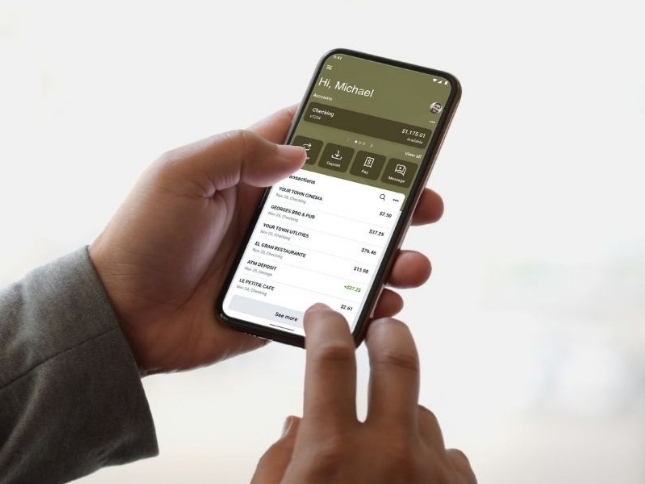
eStatements
eStatements reduce paper clutter and give you faster access to your documents.
To Enroll in eStatements:
- Log in to Online Banking
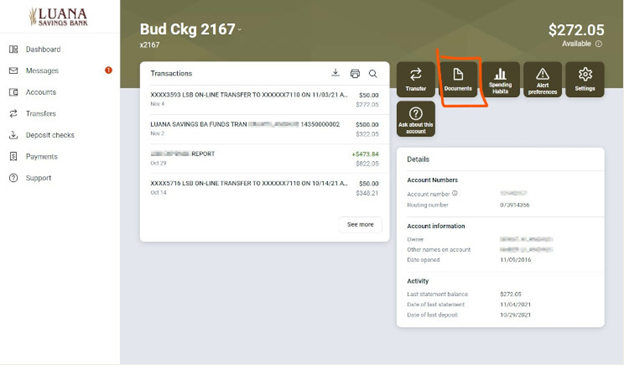
- Select the account you'd like to enroll in eStatements
- Click or Tap 'Documents' to manage delivery options, email address(es), and to review applicable disclosures.
Bill Pay
Pay Your First Bill with Bill Pay. Bill Pay makes paying bills quick, secure, and paper‑free.
- Log in to Online Banking on a computer or in a web browser (to enroll)
- Select ‘Pay a bill’
- Click on ‘Enroll’
- Conveniently make payments to people or companies.

Mobile Deposit
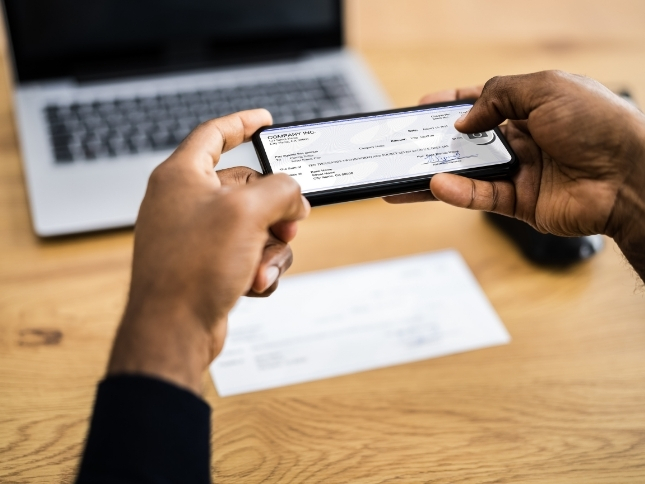
Deposit checks from anywhere in seconds — no trip to a branch needed. Mobile Check Deposit provides a convenient, secure way to deposit checks while reducing the risk of them being lost or stolen.
Please remember to properly endorse your check and include:
- Mobile Deposit
- Luana Savings Bank
- [YOUR SIGNATURE]
Digital Wallet
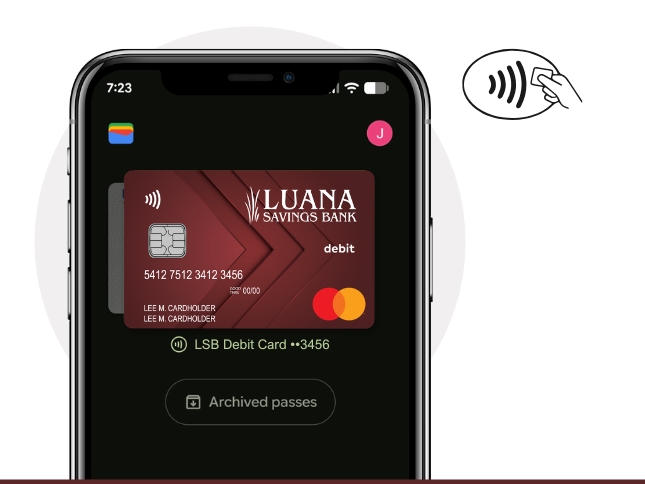
A fast, secure way to pay anywhere. In a world where everything is digital, your payments should be too. Time is precious. Digital payments provide a quick and simple way to make secure purchases.
In your phone's wallet app, follow the on-screen instructions to add your Luana Savings Bank debit card.
We support the following mobile wallets:
Additional Online Banking Features:

Transfers
Move money when you need it. Easily transfer funds between your Luana Savings Bank accounts, other financial institutions, or to friends and family.

Account Management
Stay on top of your finances with easy access to account balances, transaction history, eStatements, and more, all in one convenient place.

Alerts and Notifications
Stay up to date with personalized alerts for account activity, balance thresholds, upcoming bills, and more. Choose email, text, or in-app notifications to keep you informed wherever you are.

Financial Tools
Get a complete view of your finances in one place. Connect accounts from Luana Savings Bank and other financial institutions to create personalized budgets and goals, monitor spending and cash flow, track your net worth, and more.

Make Loan Payments
View balances, transfer funds, and schedule one-time or recurring loan payments anytime, anywhere.

Message Our Team
Contact our Personal Banking team directly from online banking or our mobile banking app. Our team is ready to assist you with any questions you may have.
Online Banking FAQs
How do I enroll in online banking?
What do I need to know before enrolling in online banking?
- You must have a valid, active deposit/loan account(s) at Luana Savings Bank.
- A current, manufacturer-supported web browser including: Google Chrome, Microsoft Edge, Mozilla Firefox, and Apple Safari. Internet Explorer is NOT supported. Android and iOS users - consider using our Mobile App!
- Online Banking does NOT require Java™, Flash™, Silverlight™, nor any other framework technology. HOWEVER, viewing statements DOES requires a PDF viewer which may either be built into your web browser or installed separately.
- You must enroll online (see above).
- PLEASE NOTE: You are responsible for understanding and correcting changes to your Internet Browser's default settings, or installation or use of 3rd party web browser tools, configuration utilities, and plug-ins all of which may have the capability to interfere with the proper operation of Online Banking and similar websites.
How do I enroll in estatements?
View this resource to enroll in estatements
eStatements are no longer mailed. You will receive an email alert to the email address you have on file with us when an eStatement is ready. To view/download the eStatement securely, please log into Online Banking, select the appropriate account, then click or tap 'Documents'. You will need a current, manufacturer-support web browser capable of viewing PDF documents, OR PDF-viewing software, such as the free Adobe Acrobat Reader, installed on your device to access downloaded PDFs.
To Enroll:
- Log into Online Banking. If you do not have an account, please Enroll in Online Banking.
- Select the account you'd like to enroll in eStatements:
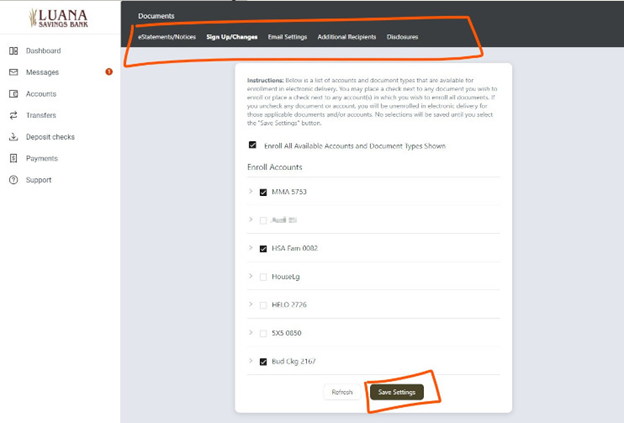
3. Review, then accept any terms or disclosures to continue
4. Select/deselect accounts - then Save settings!
What is Bill Pay and how can I use it?
Let us help you eliminate envelopes, stamps, and late fees! With Bill Pay, you can electronically initiate manual or automatic payments to third parties.
Bill Pay is great for:
- Single, One-time Payments - like Donations or Subscriptions
- Automatic Recurring Payments - such as Services
- Periodically Recurring Payments - like Utilities and Bills
How Do I Access It?
Bill Pay is easily accessible from within your Online Banking account!
- If you don't currently use Online Banking, Enroll Now!
- Log into Online Banking using the Bar at the top of this website.
- Click the "Bill Pay" link on the left Navigations Menu
What Does It Cost?
When you sign up for Bill Pay, you must make at least 3 payments/transactions per monthly cycle to avoid a monthly maintenance fee of $4.95. More than 20 payments/transactions per monthly cycle will incur a $0.50 fee per additional payment/transaction.
How Does It Save Me Time & Money?
Let's say that each month you send a check to pay the following Bills: Electric, Gas, Cell Phone, Telephone & Internet, Cable Television, a House Mortgage, and Car Loan. In addition, you probably receive bills for medical expenses, car expenses, home repair, etc. That can easily add up to $40 or more per year in stamps alone!
That's a lot of checks! Even a responsible adult can easily miss one or two bills of those nearly 100 per year exampled above. With many late fees nearing or exceeding $15 each, it's easy to see how Bill Pay can save you time, headaches, and money!
We do not assess any fees for basic online banking (view balances, view statements, transfer balances among Luana Savings Bank accounts); feel free to log in as many times as you want, any time during the day, weekends, and holidays! Please note that some advanced online banking features, such as Bill Pay, may have fees associated with them as published within our fee schedule. An Internet connection is required; check with your Internet service provider for applicable fees.
I've entered my password incorrectly too many times and now I am locked out.
We value your security; please contact the location nearest to you for assistance.
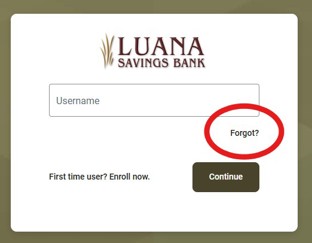
I've forgotten my Online Banking password; How do I reset it?
At the online banking login screen, please choose the 'Forgot?' link (shown below).
If you are unable to reset your password using this function, please contact the location nearest to you for assistance.
What is a Secure Access Code, and why must I keep receiving a new one?
One method in which we can verify your identity is to send a 6-digit, "Secure Access Code" to a registered form of communication (phone number, etc.) you have on file with us. We require you to prove your identity in this manner the first time you access Online Banking from a new device or web browser. If you continually log in from the same device and/or web browser but receive a message to authenticate with a Secure Access Code, there may be an issue related to 'Cookies'. Learn more about cookies
Why must I Always obtain a Secure Code to Log In?
Online Banking, along with many websites on the Internet, requires "cookies" to operate most effectively. Learn more about cookies
When will additional, advanced features become available?
Our foremost priority is to provide a useful Electronic Banking Platform for checking account activity and transferring funds. We continue to closely monitor Customer needs and the Financial Industry, and will continue to implement additional, relevant features in the future. Please Contact Us if you have a suggestion!
To enroll in Bill Pay, you must have an Online Banking account. If you don't have an online banking account, please Enroll. Once logged into Online Banking, follow the links to enroll for Bill Pay.
View this resource to enroll in bill pay
I can't log into Online Banking
Check to make sure you are able to load other websites on the Internet in a timely manner, that they look correctly when loaded, and that the problem is not localized to your network. Also, ensure that cookies are enabled. Learn more about cookies. If you continue to experience issues, try downloading and installing another web browser, or accessing your Online Banking from another computer.
Yes! If you use an Apple iOS device, such as an iPhone or iPad, or if you use an Android device, such as a Smartphone or Tablet, you can download the "Luana Savings Bank" mobile app from your respective app store. You may also log into Online Banking with a web browser like Safari or Chrome on your mobile device - simply rotate the device into landscape orientation to access the log-in field at the top of our website.
Mobile Deposit allows you to use our Android or iOS app to take a photo of the front and back of a check and deposit that check electronically without stepping foot inside of the bank! Learn more about Mobile Deposits.
Can I synchronize my transactions with Intuit products like Quicken or QuickBooks?
Yes, using one of two methods: "Web Connect" or "Direct Connect". Web Connect is a method in which a QFX or QBO file is manually exported from Online Banking, then manually imported into Intuit's Quicken (QFX file) or QuickBooks (QBO file). Direct Connect allows automatic synchronization from within Intuit's Quicken or QuickBooks and requires your Online Banking username and password to function. In accordance with our Online Banking Agreement, please keep in mind that you are solely responsible for all transactions executed under your credentials, even if those are performed fraudulently. Therefore, if you share your Online Banking username and password with Intuit, and if Intuit were to experience a security issue resulting in fraudulent transactions, or if Intuit mistakenly transfers funds on your behalf, you are solely responsible for those transactions and any losses.
Convenient Online Banking
A Digital Branch at Your Fingertips
Get started with Luana Savings Bank's free online banking.
Related Resources
Checking Accounts
Different features for different people.
Checking accounts tailored for everyone to meet your unique financial needs.